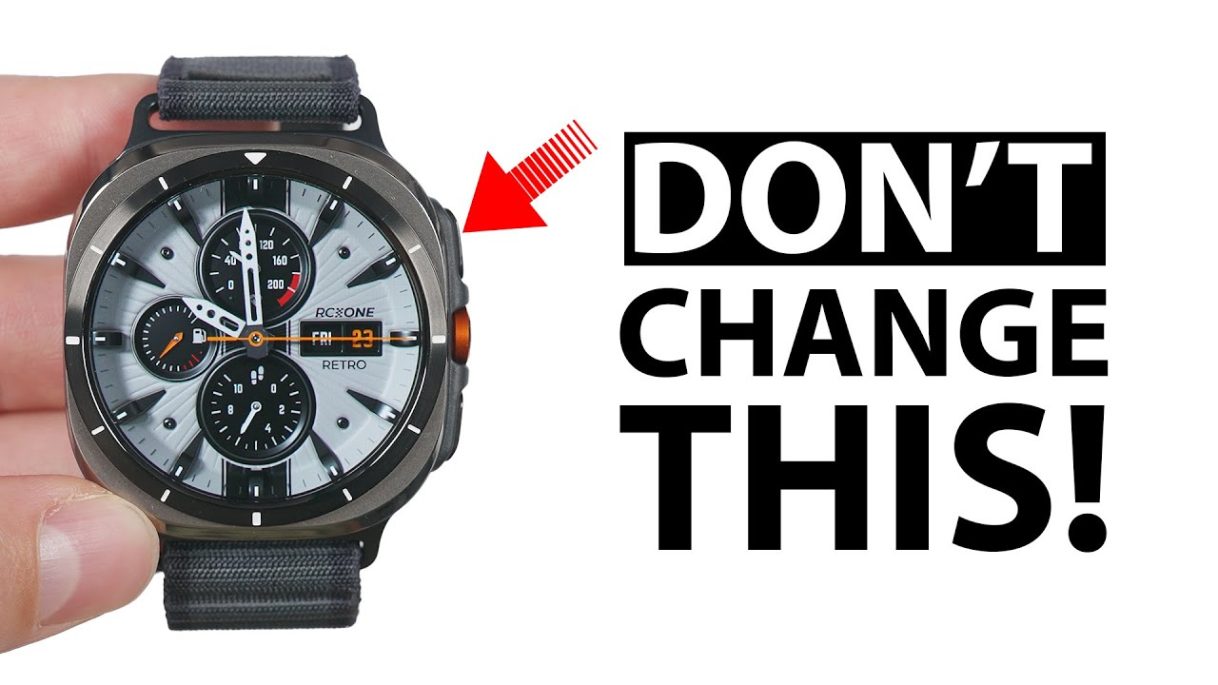
Get the Galaxy Watch Ultra from today’s partner, Best Buy! (affiliate): https://go.magik.ly/ml/24ong/
Galaxy Ring: https://go.magik.ly/ml/24oni/
Galaxy Ring Sizing Kit (includes $10 BBY E-Certificate!): https://go.magik.ly/ml/24onj/
Here are the first things you should do when you get your Samsung Galaxy Watch Ultra to maximize its usefulness!
“For God so loved the world that he gave his one and only Son, that whoever believes in him shall not perish but have eternal life.” – John 3:16
Subscribe for more deep dive videos!
https://www.youtube.com/techisodetv?sub_confirmation=1
Watch Faces:
S4U RC One – Basic: https://play.google.com/store/apps/details?id=com.watchfacestudio.s4urconefree&pcampaignid=web_share
S4U RC One – Retro: https://play.google.com/store/apps/details?id=com.watchfacestudio.s4urconeretro&pcampaignid=web_share
S4U Race: https://play.google.com/store/apps/details?id=com.watchfacestudio.s4urace&pcampaignid=web_share
S4U Shift: https://play.google.com/store/apps/details?id=com.watchfacestudio.s4ulondonshift&pcampaignid=web_share
WFP 308: https://play.google.com/store/apps/details?id=com.watchfacestudio.WFP308_analog_watch_face&pcampaignid=web_share
Timecodes:
00:00 Galaxy Watch Ultra Unboxing
00:21 Fix your notifications
01:36 The first difference
02:29 Important Quick Panel Features
03:32 Tiles do more than you think
04:56 Better Sleep Tracking
05:55 Custom Modes
08:14 Install THESE Apps!
09:14 Get a better keyboard
11:04 Faster messaging
12:17 New apps overview
13:44 App modifications
14:29 Never lose your Watch!
15:09 Never lose your phone either
15:25 Watch Face Customization
17:11 Want it upside down?
17:49 Digital Payment Methods
18:53 DON’T Remove Bixby!
20:13 Better back button
20:36 Advanced Quick Button Features
23:13 Worst Experience Ever
24:15 Set up your custom workouts
24:54 Custom Workout Routines
25:51 Advanced sleep tracking features
27:05 This can save your life, literally
28:31 ECG Measurements
29:06 Non-Samsung Limitations
29:33 Advanced Health Metrics on the phone
30:52 Body Composition Warning
32:23 Customize your health metrics order
32:43 Compete with friends and family
33:06 Gestures Deep Dive
34:30 Hidden Feature
*This description includes affiliate links. If you purchase a product through one of those links, Techisode TV gets a small commission at no extra cost to you. This is one of the main sources of income used to purchase products to review and cover travel expenses to product launch events.
#GalaxyWatchUltra #FirstThings #BestBuyPartner #bestbuy #ad
source


Get the Galaxy Watch Ultra from today's partner, Best Buy! (affiliate): https://go.magik.ly/ml/24ong/
Galaxy Ring: https://go.magik.ly/ml/24oni/
Galaxy Ring Sizing Kit (includes $10 BBY E-Certificate!): https://go.magik.ly/ml/24onj/
Hi there, awesome videos you make❤️ I just Got the Watch and have a question I cant figure out myself. I go poolswimming every day doing laps, and if I activate the waterlock before going in the water the hole Watch gets locked and I cant activate the swimsession. If I activate the swimsession the Watch also get locked and starts up before Im actually get to my the Lane making the lanetime incorrect. What to do? Is the Watch waterproof for swimming if the waterlock is not set? Confusing I know🤪🤪🤣
The best Galaxy Ultra Watch tutorial on Youtube.
Great job 👍👍👍👍
One of my favourite youtubers @techisodeTV
Let's go Samsung
Getting your Dexcom G7 glucose monitor running on your Galaxy watch and all the tips and tricks to go with the monitoring blood glucose features, maybe a separate video on Dexcom G7 on your Galaxy watch.
Yo buddy very thorough. Thanks a lot. Worth a "WATCH" 😅
I hate that Bixby still exists
now I have to use bixby, assistant and gemini… this is dumb, not smart
😂The most ugliest snart watch i have ever witnessed
Hi. Good job on the video. Just a quick question. Did you update the modes and routine app on your watch or phone maybe? Mine on s23ultra just lets me change watch face. Cannot do more watch actions.
He does indeed love us 🙂
Great video – really helped me to make a decision but I have 2 questions:
1. Does Samsung Wallet work when NOT used with a Samsung Phone?
2. Does cellular connection work when NOT used with a Samsung Phone?
My galaxy S24 Ultra and watch 7 Ultra just came in today. Thank you sooooo much for the video… I would have never known about all the features that the watch has!
Why you wear a black rubber band?
can you make a video about
watch faces.
6:36 mark shows raise to wake, always on display, etc doe the watch. My Modes on my phone doesnt show those watch specific options. How do i get them??
Can you please tell me how to get the watch faces you have, especially the first one? Thought you said you were going to leave a comment with info but cannot find it. Thanks!
How come your watch looks kinda black but with the white markings on the bezel? It doesn't look like my titanium silver galaxy watch ultra. 🤔
17:11 pushing objects or exercises with push-ups, the back on my hand will hit the buttons so I flip it for this reason.
This is the greatest video in the history of the Samsung Galaxy Watch Ultra. Thank you!
How to add gpx files?
From where did u buy the straps..
I couldn't find it…
What i don't like the most about this watch is that for being an ultra version, the battery doesn't last more than 2 days in a row 😢
That retro F4U watch face is the cleanest looking watch face I've ever seen in my life. I've watched this video 40 times to look at that face. I've already bought it from the playstore and my watch isn't here lol
Wow just saw Titanium Silver and feel like its look beautiful 😀 tq for good video !
btw, the workout accuracy on this watch is 84% on NORMAL HEARTRATE.. and about 65% on WORKOUT aaaand 40-60% on sleep .. just a company copying apple sadly.. i was a samsung user.. until fold 5 .. but now that samsung has become yet another chinese copying company .. im done
REALLY a great video, well done!
You just got a sub. Thorough run through that's to the point and 100% helpful. Cheers
I am unable to view outlook email (personal)on my galaxy ultra watch. Could you please help?
31min into it I like that watch face you have what name is it please.
What's the watch face on here
Whats Techimode? Under routines
Why theres no sleep apnea on my samsung health monitor? There's only Blood pressure and ECG? Plus how do you remove the power saving icon on top on the watch? It annoying blocking my calendar
What's the name of the your watch face ? Thanks
The only notification I keep on is the phone. All other notifications I turn off.
Man, what is that watchface? Looks really nice!
I think Samsung keyboard is still better. Gboard also took many steps for emoji and looks bad because it looks small and filled with unnessary icons in that small screen.
Get a watch 4 classic it will do the job. still the GOAT.
How do I turn off health goal messages? I have turned them off on the watch and my phone but they still keep coming!
I like the watch face you have. What is the name and how to get. Please. Thanks
Some good stuff I didn't know
Great video, I have a question. In the wearable main home oage, it doesn’t show me how many days I have left on the watch just battery percentage. Did you add this yourself: I have a flip 6 by the way?? Thanks
Which font are you using on your watch and fold 6?
what immediately caught my attention at 5:37 was the S4U Shift watch face that matches the orange indicators on the bezel. Just bought that.